透明文字服制作方法:nanobanana Ver1.2教程

完整提示词
服を文字に変えて透過させる件、Hailuo以外のnanobananaでも精度高くする方法を探ってました。どうも服の色を抽出して文字色に置き換えるところがなかなか難しいらしく、手間ですが、服の色をカラーコードで指定するようにしたら精度が上がった気がします。ただ、肉体は透過してくれないようで素肌に文字着るようになってしまいました。 無料のnanobananaだと添付の通り2回エラーになってしまったので、3回しか回せてないですが、2回は成功。現状のVer1.2としてコメントにPromptを記載します。 良かったら皆さんもちゃんと動くか検証してみて下さい。文字色とYOUR TEXTを変えられます。 ちゃんと動きますように。 #nanobanana2 #qwen { "version": "1.2", "description": "Photorealistic removal of clothing and replacement with a transparent typographic garment made only of flat-colored letters, using a clean-plate background and compositing. Text colors are explicitly provided as variables (no automatic color sampling).", "variables": { "YOUR_TEXT": { "type": "string", "value": "<<YOUR_TEXT>>", "description": "The text used to build the typographic garment. It will repeat, warp, rotate and fill the clothing silhouette." }, "GARMENT_MAIN_COLOR": { "type": "string", "value": "#7fffd4", "description": "Hex color for all garment letters if there is only one clothing piece (e.g., a dress or hoodie). Example: #FFFFFF for white, #FF7AA5 for pink." }, "GARMENT_TOP_COLOR": { "type": "string", "value": "#7fffd4", "description": "Hex color for the top garment letters (e.g., hoodie/shirt). Only used if there is a separate top." }, "GARMENT_BOTTOM_COLOR": { "type": "string", "value": "#000000", "description": "Hex color for the bottom garment letters (e.g., shorts/skirt/pants). Only used if there is a separate bottom." } }, "steps": [ { "name": "STEP_1_CLEAN_PLATE_BACKGROUND", "goal": "Remove the person completely and reconstruct a perfectly photorealistic background as if the person was never there.", "instructions": "Using the uploaded photo, completely remove the person from the image.\n\nInpaint the area they occupied, reconstructing the background behind them with perfect photorealism that matches the original environment.\nExtend all environmental elements naturally — ground, floor tiles, asphalt, buildings, cars, signs, sky, trees, walls, indoor furniture, or any other background objects depending on the scene.\nThere must be no remaining silhouette, no blur, no cloning patterns, and no smudging.\nThe result of this step must look like the original photo was taken with no person in it at all." }, { "name": "STEP_2_COLORED_TYPOGRAPHIC_GARMENT_LAYER", "goal": "On the original photo, replace all clothing with a flat-colored typographic garment over chroma green, with full transparency between letters.", "instructions": "Return to the original photo with the person present.\n\nElements that must remain unchanged:\n- keep the face, skin, eyes, hair, makeup, and body shape completely photorealistic\n- keep the person’s pose, limb positions, and the original lighting and shadows on the skin\n- keep all non-clothing objects such as bags, accessories, jewelry, and props untouched\n- keep the background intact\n\nModify ONLY the clothing:\n- remove all original fabric information from every garment: delete texture, folds, seams, wrinkles, shading, logos, and printed graphics\n- the clothing must no longer look like fabric in any way\n\nReplace each garment area with a new garment made only of flat hand-drawn text.\n\nTEXT CONTENT:\nUse the following content as the base text for the garment:\n[YOUR_TEXT]\nRepeat, rotate, scale, warp, and curve these letters as needed so they densely fill the entire silhouette of each garment.\n\nCOLOR RULES (NO SAMPLING, USE PROVIDED COLORS):\n- If there is only one continuous garment (for example, a single dress or one hoodie), use GARMENT_MAIN_COLOR as the flat fill color for all letters.\n- If there is a clearly separate top and bottom:\n * use GARMENT_TOP_COLOR for all letters in the top garment area (hoodie, shirt, jacket, etc.)\n * use GARMENT_BOTTOM_COLOR for all letters in the bottom garment area (shorts, skirt, pants, etc.)\n- Letters must be filled with a single flat color per garment region.\n- Absolutely no gradients, no highlights, no shadows, no fabric textures may be added to the letters.\n\nTypography style:\n- letters must appear as flat graphic shapes (not fabric)\n- slightly irregular stroke width is allowed so they feel hand-drawn\n- letters may curve to follow the body’s form, but color must remain perfectly flat.\n\nTransparency and chroma key rules:\n- every area inside the garment that is NOT covered by a letter must be pure chroma green (RGB 0,255,0)\n- do NOT leave any gray, black, or residual fabric color under or between letters\n- there must be absolutely no shading, folds, highlights, or fabric texture under the letters\n- the result of this step should look like the person is wearing a garment made of a dense mesh of flat-colored letters floating over solid chroma green, with no other fill color present." }, { "name": "STEP_3_FINAL_COMPOSITE_WITH_CLEAN_PLATE", "goal": "Composite the typographic garment person over the clean background so the real environment shows through the gaps between letters.", "instructions": "Take the result from STEP 2 and key out all pure chroma green (RGB 0,255,0) so that these regions become fully transparent.\n\nThen place this keyed image of the person with the typographic garment onto the clean-plate background produced in STEP 1.\nAlign the person perfectly with their original position and camera perspective so that the integration is seamless.\n\nThrough all gaps between the letters, the reconstructed real background from STEP 1 must be clearly visible.\nDo not introduce any artificial flat color where transparency should reveal the environment.\n\nRecalculate natural cast shadows from the person onto the ground, walls, or nearby objects, but base the shadow shape on the current body and garment silhouette, not on the original clothing.\nMatch light direction, softness, intensity, and noise/grain with the original photo.\n\nThe final composite must be fully photorealistic:\n- the person remains realistic and unchanged except for the garment\n- all original fabric, seams, wrinkles, and clothing shadows are gone\n- the garment is now entirely formed by flat colored hand-drawn text\n- the real environment is visible in the transparent gaps between letters\n- there are no green artifacts and no signs of the original clothing." } ], "final_goal": "Produce a single photorealistic image where the person appears to be wearing a garment made only of flat colored letters, with the true scene behind them visible through all gaps between letters, and no trace of the original clothing or its shadows." } ちなみに、Hailuoのnanobanana2はhailuoのエージェント経由で処理されるので、Promptで3stepに分かれていると以下のように右側のAgentが実際に3回に分けて画像生成します。1つ目で女性を消して背景を取り、2つ目で服をクロマキー処理して、服色に合わせた文字を埋め、3つ目でクロマキー処理した緑の部分を透過させて合成するという感じに実際やります。 他のNanobanana2やNanobanana Proもみんなこういうエージェントっぽい処理をするものだと思ってましたが、Hailuoが特殊なのですね…。
怎么用这条提示词
- 1. 复制上面的完整提示词。
- 2. 打开免费生成器,粘贴到提示词输入框。
- 3. 如果提示词需要参考图,先上传参考图,然后生成。
这条提示词是为 Nano Banana 写的,在其他 Nano Banana 模型上同样可用,风格和细节会略有差异。
更多其他提示词
查看全部 →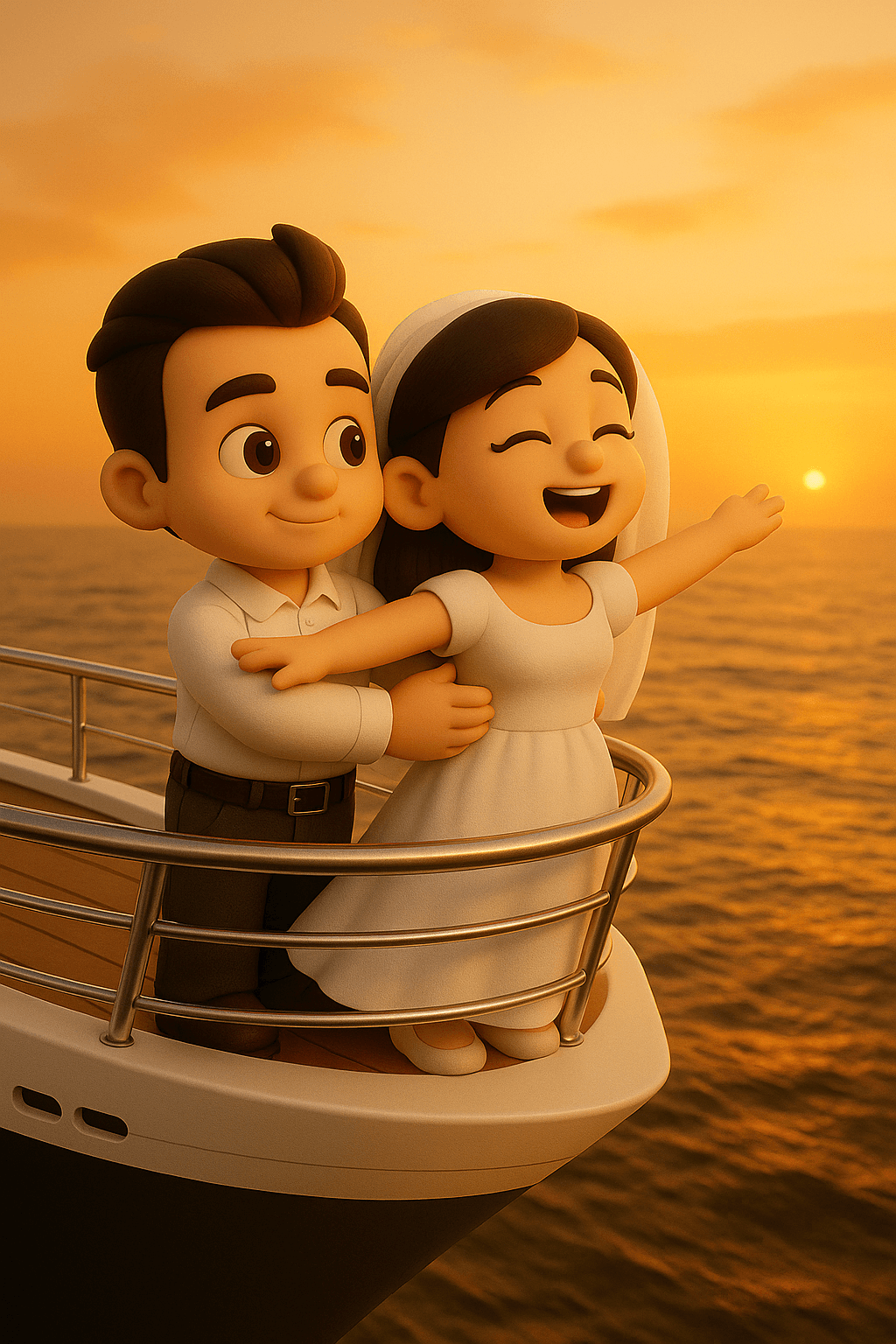
《泰坦尼克号》模仿
将附图中的人物转换成可爱Q版3D造型 场景:在豪华游轮最顶尖的船头,船头是尖的。 男士带着女士站在泰坦尼克号船头,男士双手搂着女士的腰,女士双臂伸展穿着连衣裙,迎着风,脸上洋溢着自由与畅快。 此时天色呈现出黄昏的暖色调,大海在船下延展。 除了人物用Q版3D造型以外,其他环境都是实物。

1950年代复古风女神
Gemini Nano Banana 3.0 { "prompt_structure": { "subject": { "archetype": "Glamorous woman", "facial_reference": "Use uploaded image features", "pose": "Three-quarter profile, body angled toward camera, arm lifted elegantly near face", "action": "Holding a cigarette between fingers, holding a small metallic lighter in the other hand", "expression_and_mood": "Sultry, confident, seductive, intimate" }, "styling": { "hair": "Voluminous golden-blonde retro waves, sculpted 1950s pin-up bangs, soft curls framing face", "wardrobe": "Black satin backless dress, ultra-thin side straps, dramatic open silhouette revealing waist and hips", "accessories": "Large stacked silver rhinestone bracelets, small metallic lighter", "texture_notes": "Silky satin texture, sparkling rhinestones, glossy lips" }, "composition": { "setting": "Old Hollywood nightlife, smoky vintage-noir atmosphere", "lighting": "Warm, dramatic, low-key, deep shadows, golden highlights on cheekbones", "framing": "Tight portrait framing" }, "technical_specs": { "resolution": "8k ultra-high-resolution", "visual_style": "Hyper-realistic, cinematic, polished", "camera_effects": "Shallow depth of field, soft film-grain texture" } }, "final_prompt_string": "Hyper-realistic 8k portrait of a glamorous woman with [uploaded facial features], vintage-noir style. She stands in three-quarter profile, sultry and confident, wearing a black satin backless dress with ultra-thin side straps revealing her waist. Hair styled in voluminous golden-blonde 1950s retro waves and pin-up bangs. She holds a cigarette elegantly near her face, wearing stacked silver rhinestone bracelets. Warm, dramatic low-key lighting with deep shadows and golden highlights. Smoky, intimate old Hollywood nightlife atmosphere. Shot on ultra-high-resolution camera, shallow depth of field, soft film-grain texture." }

1964与2018:同一房间的对比
> a photo of a bedroom, split down the middle, the left side is 2018, the right side is 1964, it's the same room

3个图像生成的技巧
補足3 画像生成のコツ 「文字数少なめ」で指示すること。 ※nanobananaは文字を詰め込む癖があるため 今回使ったプロンプトと画像↓ Nanobanana-proで5枚作成 アスペクト比16:9 #シーン 広告ポスターを作成 ワイモバイルらしい赤を基調 #内容 新トクするサポート 2年レンタル 支払総額 24円
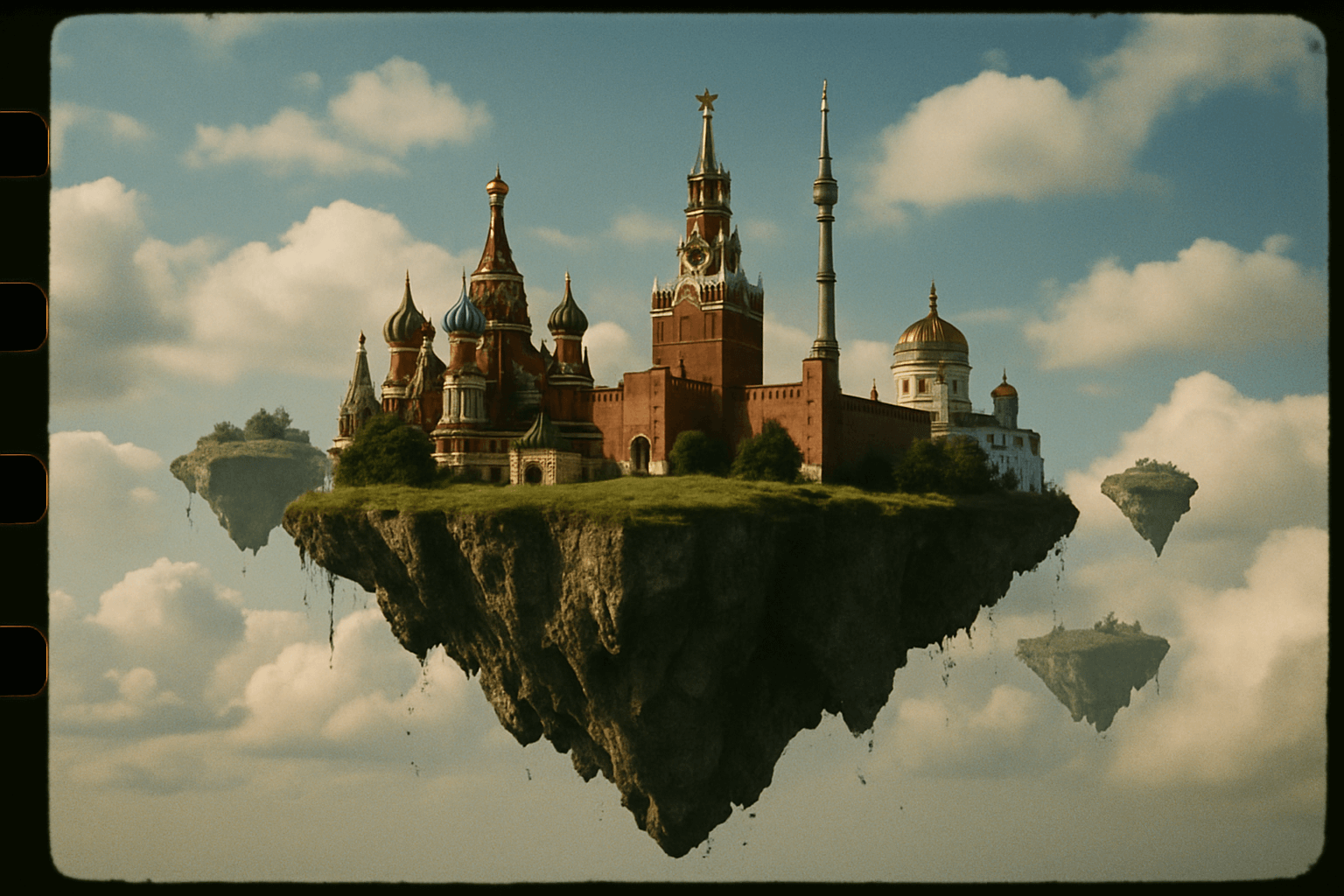
35mm 胶片风格飞岛
35 毫米胶片风格的照片:莫斯科漂浮在天空中的飞行岛屿上。
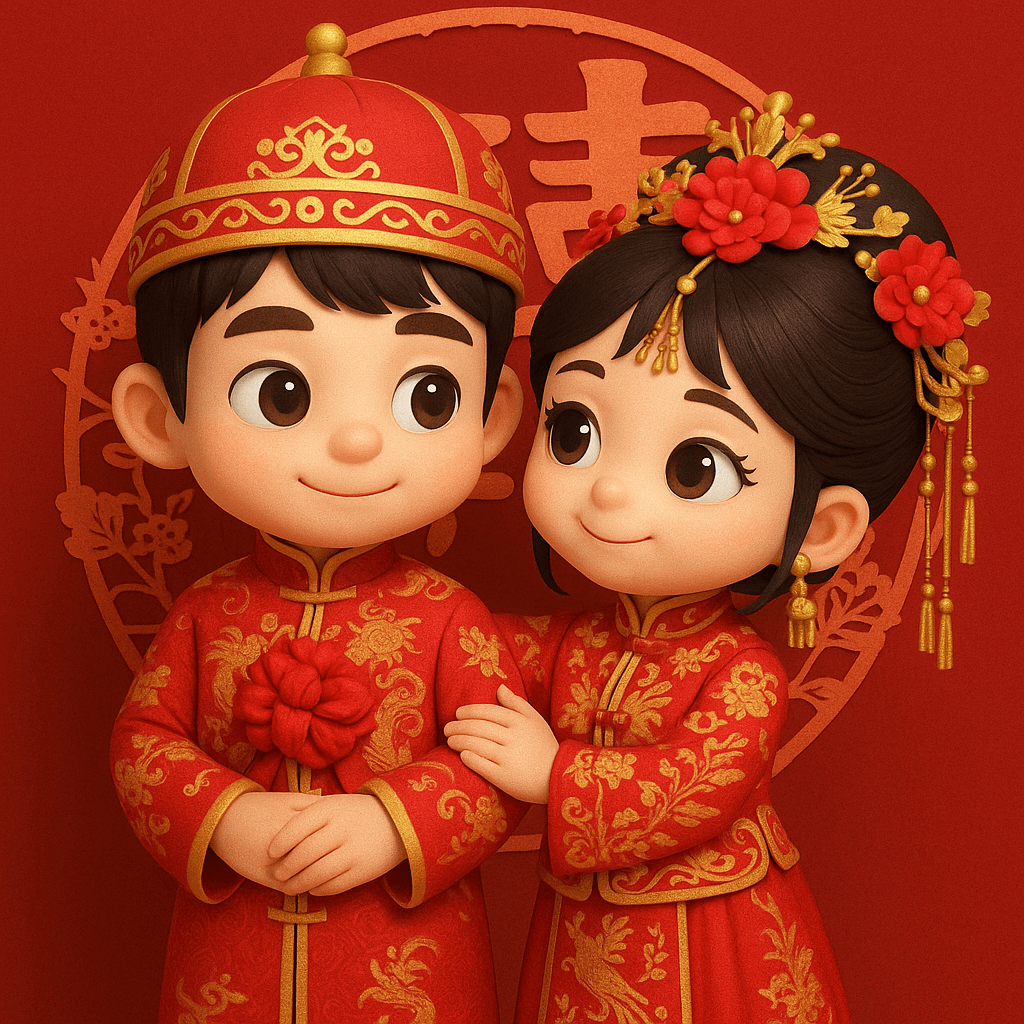
3D Q版中式婚礼图
将照片里的两个人转换成Q版 3D人物,中式古装婚礼,大红颜色,背景“囍”字剪纸风格图案。 服饰要求:写实,男士身着长袍马褂,主体为红色,上面以金色绣龙纹图案,彰显尊贵大气 ,胸前系着大红花,寓意喜庆吉祥。女士所穿是秀禾服,同样以红色为基调,饰有精美的金色花纹与凤凰刺绣,展现出典雅华丽之感 ,头上搭配花朵发饰,增添柔美温婉气质。二者皆为中式婚礼中经典着装,蕴含着对新人婚姻美满的祝福。 头饰要求: 男士:中式状元帽,主体红色,饰有金色纹样,帽顶有精致金饰,尽显传统儒雅庄重。 女士:凤冠造型,以红色花朵为中心,搭配金色立体装饰与垂坠流苏,华丽富贵,古典韵味十足。
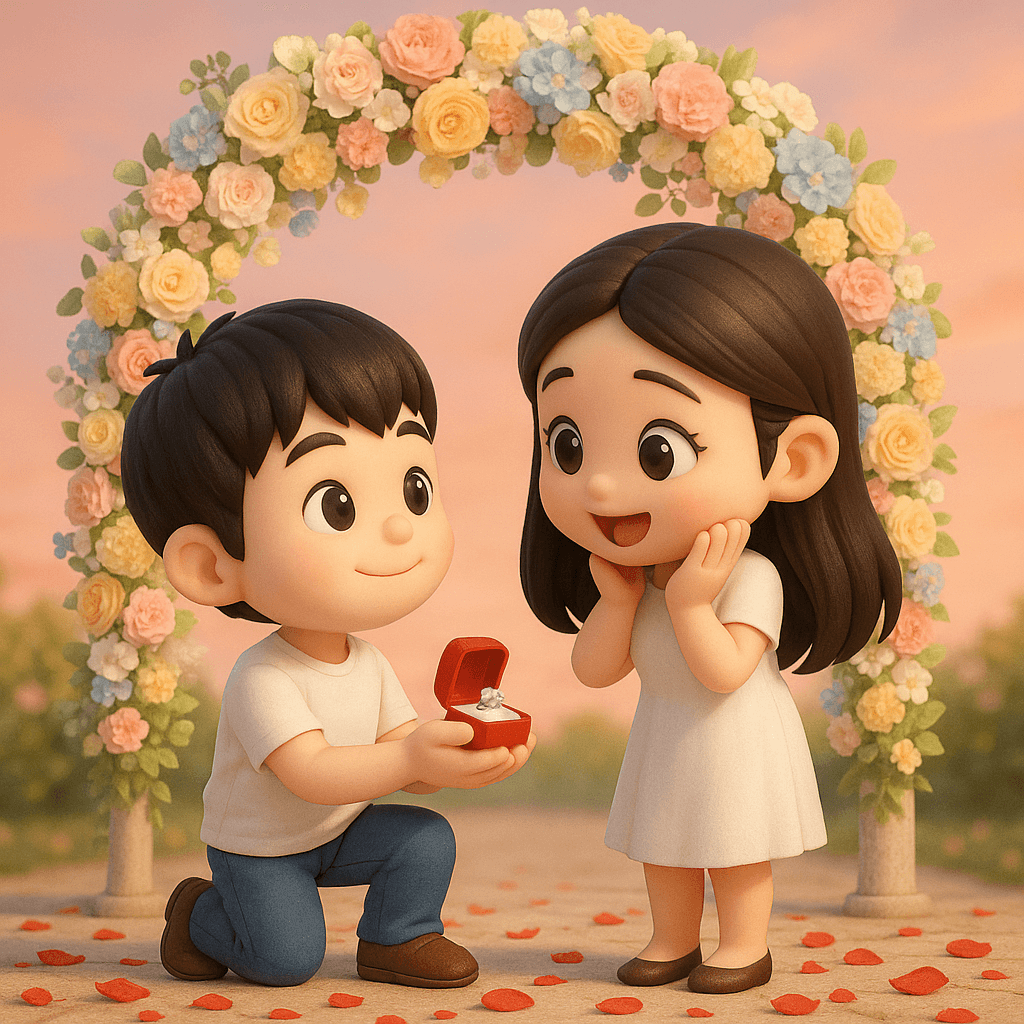
Q版求婚场景
将照片里的两个人转换成Q版 3D人物,场景换成求婚,背景换成淡雅五彩花瓣做的拱门,背景换成浪漫颜色,地上散落着玫瑰花瓣。除了人物采用Q版 3D人物风格,其他环境采用真实写实风格。
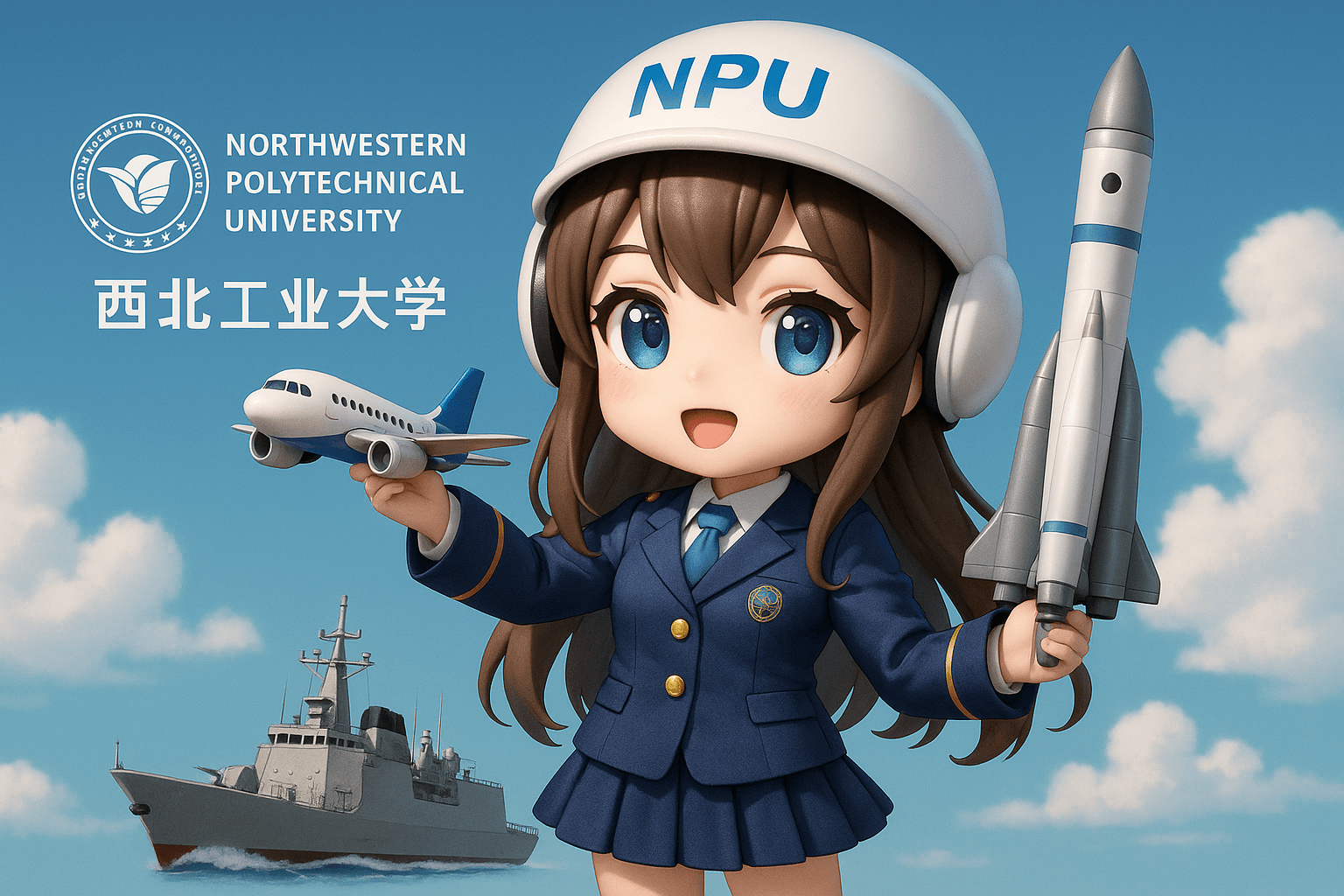
3D Q版大学拟人化形象
给 {西北工业大学} 画一个拟人化的3D Q版美少女形象,体现学校 {航空航天航海三航} 特色
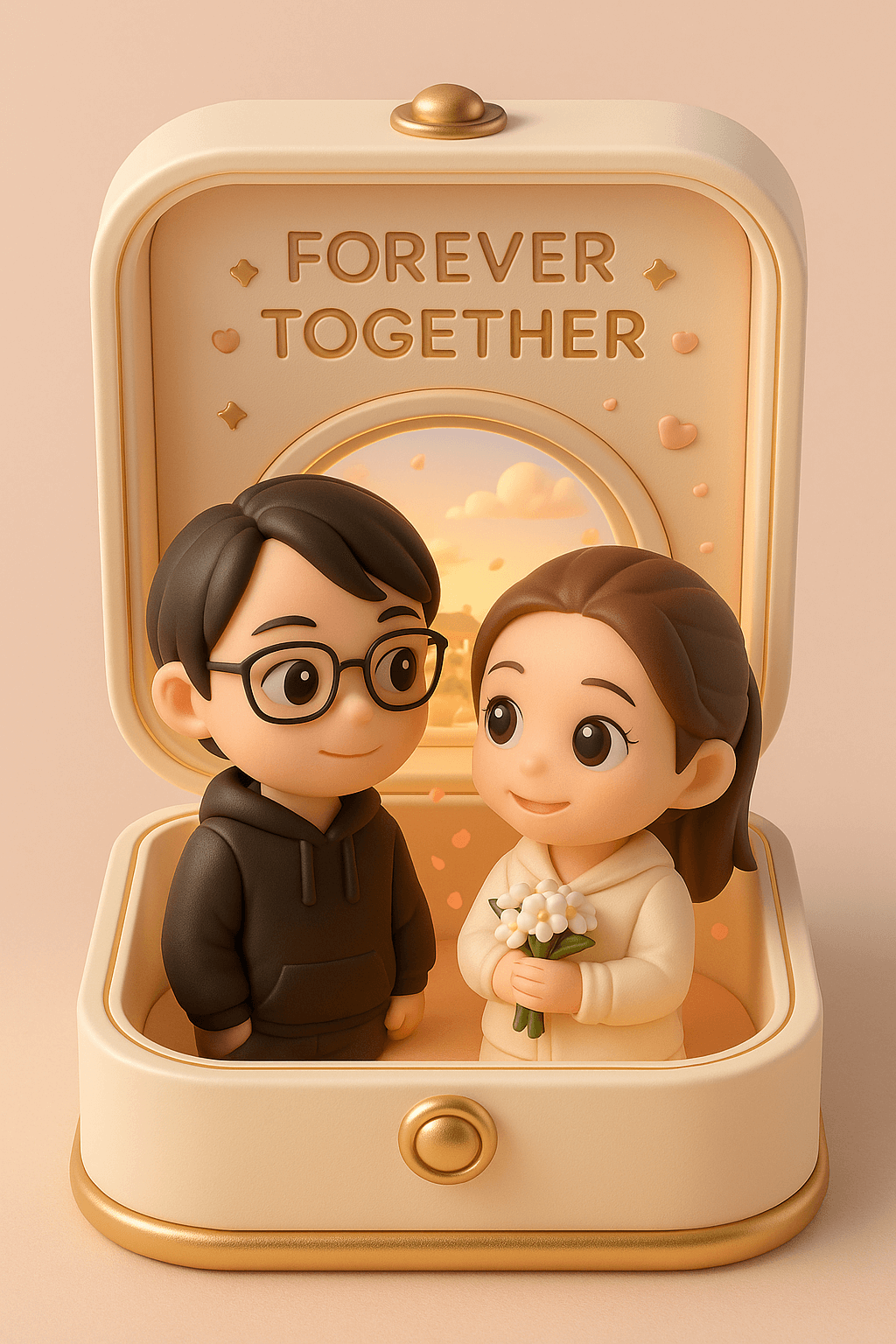
3D 情侣珠宝盒摆件
根据照片上的内容打造一款细致精美、萌趣可爱的3D渲染收藏摆件,装置在柔和粉彩色调、温馨浪漫的展示盒中。展示盒为浅奶油色搭配柔和的金色装饰,形似精致的便携珠宝盒。打开盒盖,呈现出一幕温暖浪漫的场景:两位Q版角色正甜蜜相望。盒顶雕刻着“FOREVER TOGETHER”(永远在一起)的字样,周围点缀着小巧精致的星星与爱心图案。 盒内站着照片上的女性,手中捧着一束小巧的白色花束。她的身旁是她的伴侣,照片上的男性。两人都拥有大而闪亮、充满表现力的眼睛,以及柔和、温暖的微笑,传递出浓浓的爱意和迷人的气质。 他们身后有一扇圆形窗户,透过窗户能看到阳光明媚的中国古典小镇天际线和轻柔飘浮的云朵。盒内以温暖的柔和光线进行照明,背景中漂浮着花瓣点缀气氛。整个展示盒和角色的色调优雅和谐,营造出一个奢华而梦幻的迷你纪念品场景。 尺寸:9:16
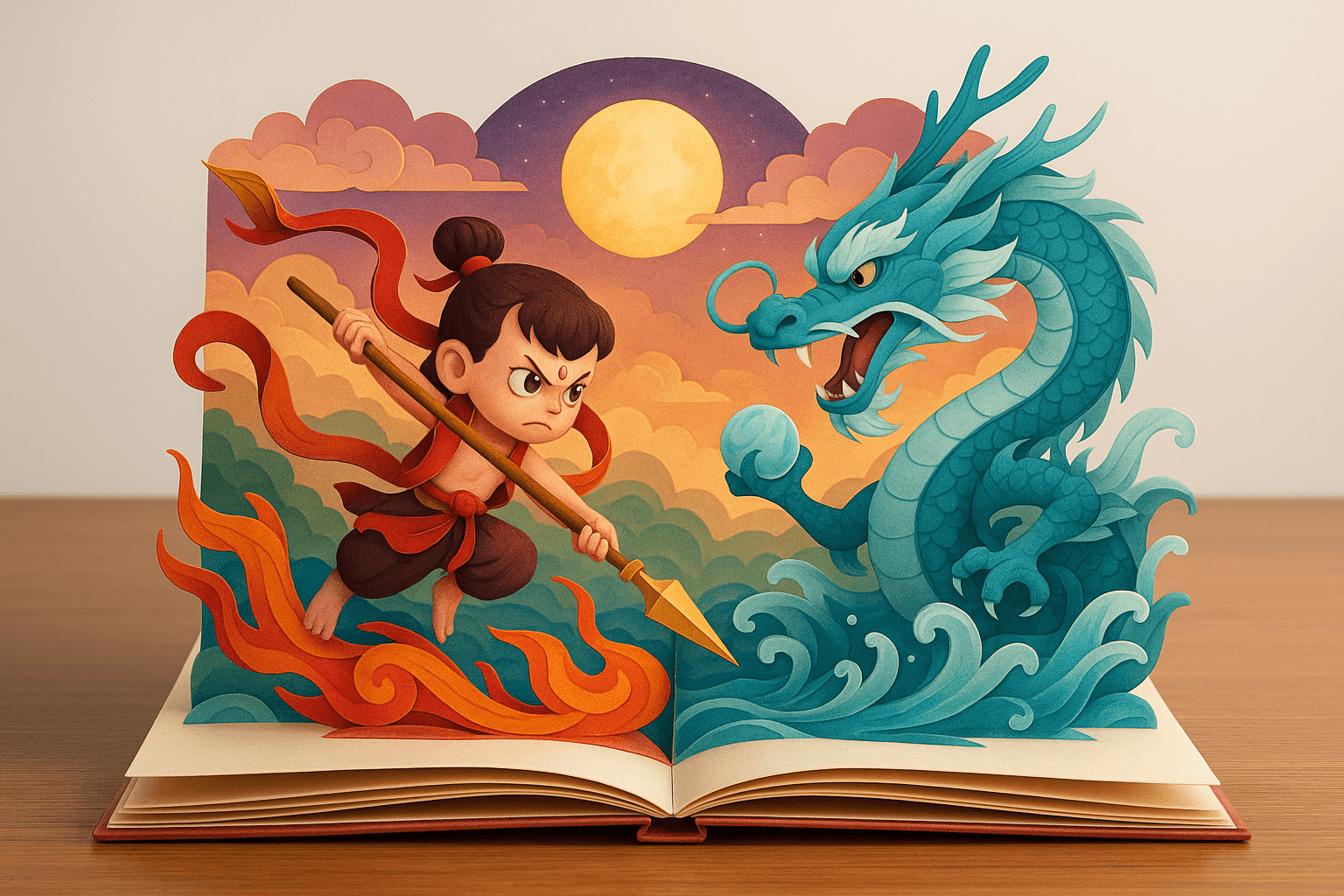
折叠式纸雕立体绘本
多层折叠式纸雕立体绘本,放在一张书桌上,背景纯净突出主题,绘本呈现出立体翻页书般的风格,比例为3:2横版。翻开的书页呈现【魔童版哪吒大战敖丙】的场景,所有元素皆可精细折叠组合,呈现出逼真细腻的纸张折叠质感;构图统一采用正面视角,整体视觉风格梦幻唯美,色彩缤纷绚丽,充满奇幻而生动的故事氛围。
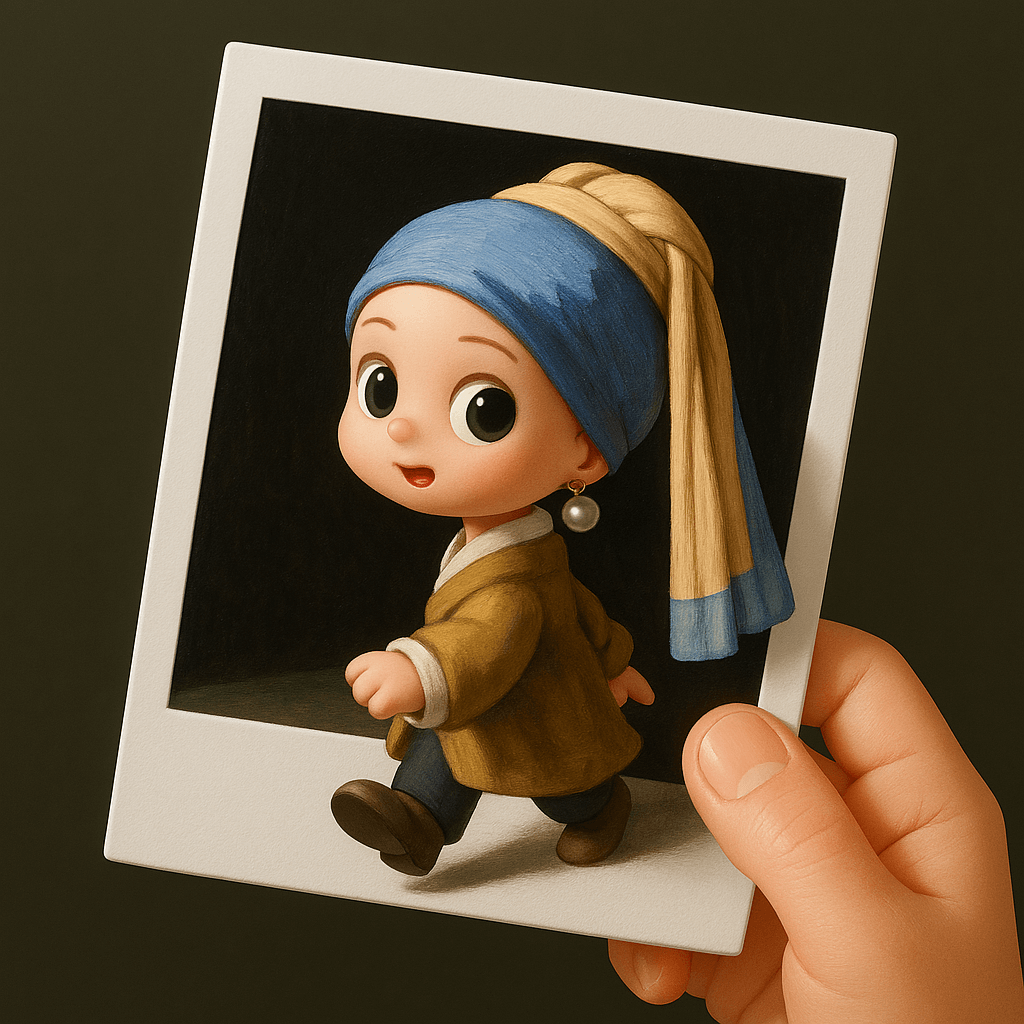
3D Q版人物立体相框
将场景中的角色转化为3D Q版风格,放在一张拍立得照片上,相纸被一只手拿着,照片中的角色正从拍立得照片中走出,呈现出突破二维相片边框、进入二维现实空间的视觉效果。
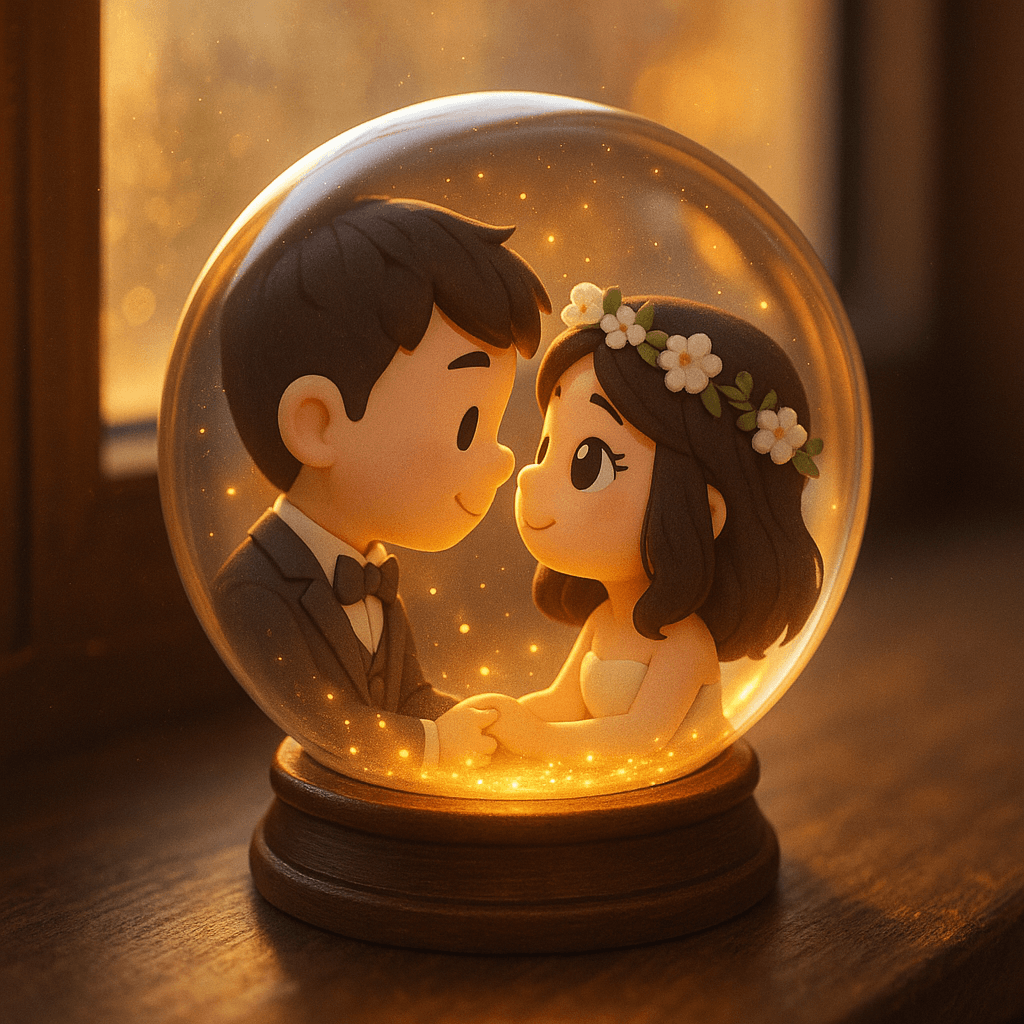
3D Q版情侣水晶球
将附图中的人物转换成水晶球场景。 整体环境:水晶球放在窗户旁桌面上,背景模糊,暖色调。阳光透过球体,洒下点点金光,照亮了周围的黑暗。 水晶球内部:人物是可爱Q版3D造型,相互之间满眼的爱意。