
Nano Banana 2Other
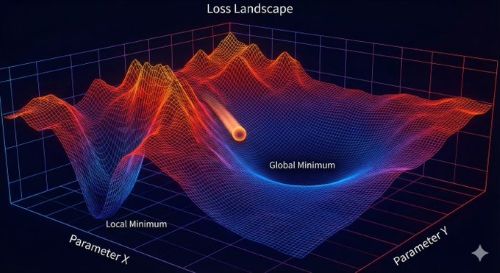
The 3D "Loss Landscape" Topology
The 3D "Loss Landscape" Topology
Model guide · Gemini 3.1 Flash Image
Image generation and editing at Flash speed
Nano Banana 2 is Google's Gemini 3.1 Flash Image model. It combines fast image generation and editing with improved instruction following and in-image text. Explore the model and its prompt library.
Start with the subject, composition and lighting. Put required image text in quotation marks and specify its placement. Change one variable at a time when comparing drafts; check factual details yourself.
Available tools, output sizes and quotas depend on the service you use. Features described by Google are not necessarily exposed in this site's generator, and generated text or factual details still need review.
See models currently available in our generator →55 published examples from our existing prompt library.
The 3D "Loss Landscape" Topology
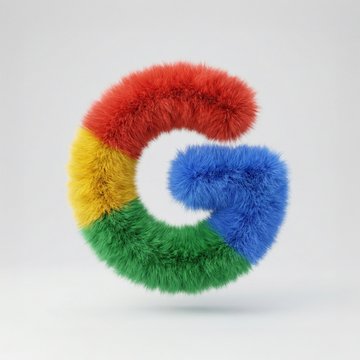
Transform Google's G logo into a soft, 3D fluffy object. Use the exact colors. The shape is fully covered in fur, with hyperrealistic hair texture and soft shadows. The object is centered on a clean, light gray background and floats gently in space. The style is surreal, tactile, and modern, evoking a sense of comfort and playfulness. Studio lighting, high-resolution render.
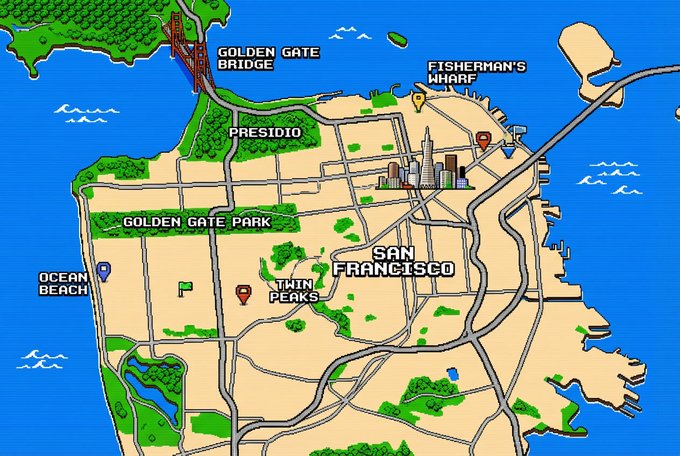
1.8-bit Style San Francisco
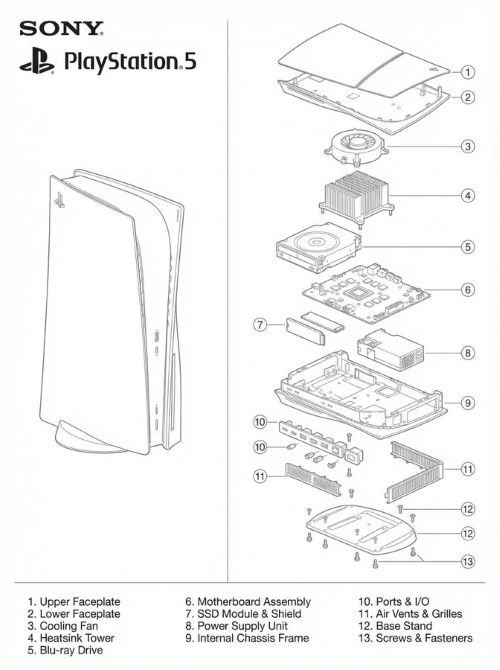
A two-panel technical blueprint diagram in clean monochrome line-art, matching the exact layout of the provided PlayStation 1 schematic. On the left side, draw a full, intact Sony PlayStation 5 console in precise thin line-art on a white background. On the right side, draw a highly detailed, vertically exploded-view diagram of the PS5 showing each internal component separated into layers: outer shell panels, faceplates, cooling fan, heatsink tower, Blu-ray drive, motherboard, SSD module, power supply, internal frame, ports, vents, base stand, screws. Use consistent thin grey line-weight with no shading. Add numbered circular labels around each part, and include a matching numbered parts list at the bottom just like the reference blueprint. Place the SONY logo, PlayStation logo, and “PlayStation 5” text in the top left in the exact same position and style as the uploaded reference image. The entire artwork should mirror the composition, spacing, typography, and minimalist engineering-manual aesthetic of the reference diagram.
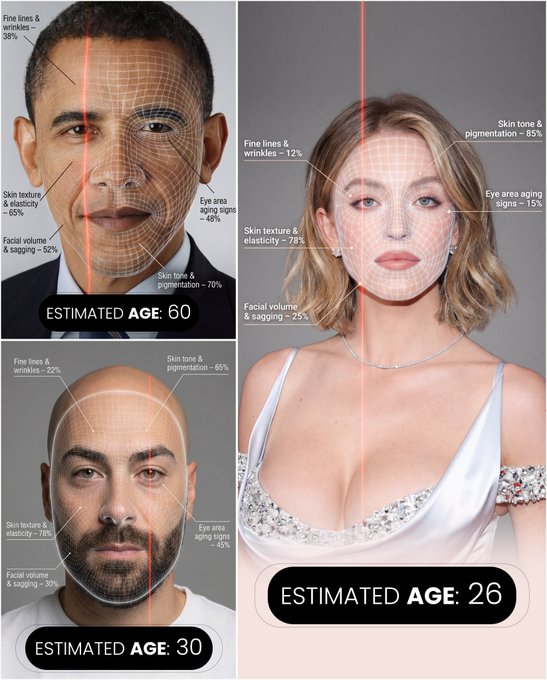
A hyper-realistic, high-resolution portrait infographic based on (your photo). Keep the same person, identity, hairstyle, clothing and natural skin tone from (your photo), with a neutral studio background.Overlay a subtle, semi-transparent facial analysis grid on the entire face, very similar to a 3D face-scanning mesh: thin, soft white lines following the facial contours, slightly glowing but not hiding the skin details. Add one clean vertical red laser line running down one side of the face, like a futuristic scan. All analysis lines must be soft, minimal and elegant, exactly like a cosmetic-tech advertisement.Create a clean medical–aesthetic infographic that evaluates 5 aging factors using global data percentages:1. Fine lines and wrinkles2. Skin texture and elasticity3. Facial volume and sagging4. Eye area aging signs5. Skin tone and pigmentationFor each factor, place a small label with a thin line pointing to the relevant facial area, and next to it write a short title and a realistic percentage score from 0–100% (based on global data), for example:“Fine lines & wrinkles – 18%”“Skin texture & elasticity – 72%”“Facial volume & sagging – 35%”“Eye area aging signs – 41%”“Skin tone & pigmentation – 63%”Use clean, modern, sans-serif typography and small technical-style text, like a scientific facial analysis UI. At the bottom of the image, in the center, write a large bold text showing the final estimated real age based on the analysis, for example:“ESTIMATED AGE: (random number based on face analysis ) ”Overall style: futuristic AI-guided skincare analysis, minimalistic, premium editorial lighting, no gender mentioned, suitable for any human face.

Show me the real-life photo version of Image 1
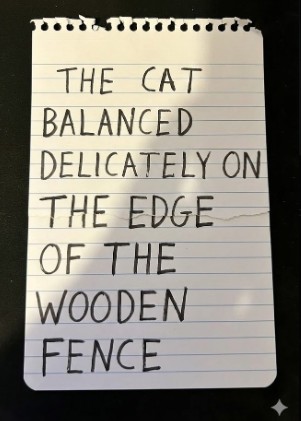
assemble the original message from the torn and mixed-up pieces

今日艺术 很久没放神仙姐姐了 Nano Banana2 prompt from @YaseenK7212 { "metadata": { "requestID": "structure_enhancement_v3", "sourceReference": "image_0.png", "conformanceConstraints": [ { "target": "face", "requirement": "exact identity match (100%)" }, { "target": "body", "requirement": "exact identity match (100%)" } ] }, "sceneDefinition": { "mainSubject": { "entityType": "person", "demographics": { "gender": "female", "description": "beautiful woman" }, "physicalAppearance": { "hair": { "attributes": { "hue": "dark black", "length": "long", "texture": "slight wave" }, "state": { "style": "loose, flowing", "placement": [ "cascading down back", "over right shoulder" ] } } }, "currentActionState": { "pose": { "torsoOrientation": "angled away from camera", "headPosition": { "action": "turned backward", "direction": "over right shoulder" }, "gaze": { "target": "viewer", "contactType": "direct" } }, "expression": { "primaryEmotion": "confidence", "description": "self-assured" } }, "inventory": { "clothingLayers": [ { "layerOrder": 1, "itemType": "top", "specifications": { "garmentStyle": "tank top (bodysuit style implied)", "colorOptions": [ "light beige", "white" ], "fit": "form-fitting", "sleeves": "none" }, "wornConfiguration": { "isTucked": true, "tuckedIntoLayer": 2 } }, { "layerOrder": 2, "itemType": "bottoms", "specifications": { "garmentStyle": "jeans", "material": "denim", "washType": "light blue", "waistline": "high-waisted", "fit": "fitted skinny/slim" }, "features": { "distressDetails": [ { "type": "fabric rip", "location": "back right pocket area" } ] } } ], "accessories": [ { "itemType": "wearable technology", "specifications": { "deviceType": "smartwatch", "interface": "digital display", "primaryColor": "white" }, "placement": { "bodyPart": "wrist", "side": "left" } } ] } }, "environmentalContext": { "backdrop": { "type": "studio background", "texture": "solid, seamless", "colorPalette": { "hueOptions": [ "soft coral", "vibrant pink" ], "saturation": "vibrant", "brightness": "soft" } }, "illumination": { "setupType": "professional studio lighting", "quality": "soft, diffused", "atmosphericEffect": "creates a gentle, flattering glow on subject and background" } } } }
Sources checked: 2026-10-09. This independent prompt and model guide is not affiliated with Google. Creator credits and original posts are linked on each example page.