
Nano banana pro profile image generation prompt

Full prompt
【新しいプロフィール画像生成プロンプト】 ⠀ 先日公開しましたが、アドバイスをいただきプロンプトを一部変更したので改めて紹介します。ついでに名称も変更。 ⠀  ̄ ̄ ̄ ̄ ̄ ̄ ̄ ̄ ̄ ̄ 参照画像をXのヘッダー画像として生成するプロンプトです。参照画像に加えて任意の文字列をロゴ風にデザインして配置します。 __________ ⠀ ⚠️必ず最後までお読みください。 ・Nano Banana Pro専用のプロンプトです。 ・プロンプトの無断転載は禁止します。 ・ヘッダーとして使用する前提なので signatureブロックを設けていませんが 公開時にはてんねんのプロンプトと 添えて頂けると嬉しいです。 ⠀ ◆概要 Xのヘッダー画像は「1500×500」ですが、Nano Banana Proではサイズを指定して生成することができません(よね?)。 ⠀ そこで、近似アスペクト比の「3:1」で生成することとしました。プロフィール画像に設定する際に、位置やサイズを調整してください。 ⠀ 参照画像のキャラクターの「顔」を認識、推論して安全圏中央に配置するようにしています。「ズーム」の「on/off」を指定できるようにしているので、offの場合は参照画像の構図をできるだけ維持、onの場合は顔中心のバストアップにトリミングして配置します。 ⠀ アイコン等の表示エリアにロゴがかぶってしまう場合は、生成ガチャをするか、その画像を参照画像としてNano Banana Proに「ロゴの位置を変えて」と指示して再生成すれば良いと思います。 ⠀ ロゴの“形/書体/装飾”は、「文字列」と「プリセット」から推論します。プリセットには、例をプロンプト中にコメント表示していますが、これに限らず任意のワードを指定できます。 ⠀ ◆使い方 # ===== USER CONTROLS ===== ブロック内の下記項目を指定してください。 ⠀ ・表示文字列の指定 title_text: "<<YOUR_TEXT>>" ⠀ ””内を任意の文字列に書き換えてください。 ⠀ ・ロゴデザインプリセットの指定 title_style_preset: "cool" # cool, cute, cool_cute, luxury, pop, cyber, minimal, retro, kawaii ⠀ ""内を任意のワードに書き換えてください。 例をコメント表示していますが、限定しているわけではないので、これ以外の任意のワードを指定できます。 「文字列」とここで指定したワードからデザインを推論します。背景との調和のために参照画像の要素が含まれることがあります。 ⠀ ・ズームのon/off face_zoom: "off" # off, on ⠀ ""内を任意に書き換えてください。 off:参照画像の構図をできるだけ維持 on:顔中心のバストアップにトリミングして配置 ⠀ ◆作例 1枚目:プリセット「cute」ズーム「on」 2枚目:ププリセット「cool」ズーム「on」 3枚目:ププリセット「kawaii」ズーム「off」 4枚目:プリセット「cyber」ズーム「off」 ◆プロンプト # ===== USER CONTROLS ===== title_text: "<<YOUR_TEXT>>" title_style_preset: "cool" # cool, cute, cool_cute, luxury, pop, cyber, minimal, retro, kawaii face_zoom: "off" # off, on subject: > Create a 3:1 wide banner using the provided reference image content. The primary face must be centered inside an invisible safe zone (not drawn), and a title logo (derived from title_text + title_style_preset) must be placed inside the same safe zone. composition: > Aspect ratio 3:1. Invisible safe zone (DO NOT draw it): - Left margin: 15% of width - Right margin: 15% of width - Top margin: 16% of height - Bottom margin: 16% of height Keep the entire face AND the entire title logo fully inside this safe zone. Background may extend to the edges. action: > Place the reference image content with maximum fidelity. Auto-crop/scale/reposition to fit a 3:1 banner with no stretching. Detect the primary face (if multiple faces, pick the largest/most prominent). Center the primary face within the safe zone both horizontally and vertically. Never crop off the face/eyes; keep the full face comfortably inside the safe zone (not near edges). Face zoom behavior: - If face_zoom is OFF: keep the original framing as much as possible while still centering the face in the safe zone. - If face_zoom is ON: zoom/crop to a bust-up portrait centered on the face (head and shoulders visible; include upper chest; do not crop the top of the head or chin; keep facial features prominent). Create negative space inside the safe zone for the title logo by adjusting crop/reposition/outpainting background. Prevent clipping at all costs: if the title logo risks clipping, reduce size and reposition until fully visible. Treat the logo as having an expanded bounding box due to styling (outline/shadow) and keep extra internal padding. location: > Natural full-bleed background derived from the reference image (continuation/outpaint/blur where needed). No template overlays. style: > Preserve the reference image style (photo stays photo, illustration stays illustration). Convert title_text into a logo-like wordmark by inference using ONLY: - the characters in title_text - the vibe indicated by title_style_preset Do not infer the logo’s typography style from the reference image content. Keep it readable and clearly representing title_text. No frames, no borders, no rectangles, no guide overlays. camera_lighting: > Match reference lighting and grading across the banner. Keep the title logo crisp and readable. colors: > Choose title logo colors for strong readability. Colors may harmonize with the reference image palette, but the logo’s typography style must be driven by title_style_preset (not by the image). text: > Source string for the logo: title_text. Render it as a designed logo/wordmark (not plain typed text). The logo design must be inferred from title_text + title_style_preset only. Put the logo on the topmost layer. Place the logo fully inside the safe zone. Do not overlap the face/eyes. Choose the best area inside the safe zone where negative space exists. edit_instructions: > Do NOT draw any safe-zone box, frame, border, line, overlay, UI, or bounding guides. The safe zone is an invisible constraint only. No extra text besides the title logo. No watermark. references: - B: "Reference image content for the banner." quality: > High fidelity placement of the reference image with no visible degradation. Preserve fine details, textures, and sharp edges. Avoid excessive denoise, smoothing, painterly re-interpretation, or artifacting. Maintain clean micro-contrast and natural detail. extras: > Export-ready wide banner. Ensure the title logo is fully visible and comfortably inside margins.
Source: てんねん
How to use this prompt
- 1. Copy the full prompt above.
- 2. Open the free generator and paste it into the prompt box.
- 3. Upload a reference image if the prompt calls for one, then generate.
This prompt was written for Nano Banana Pro. It also works on the other Nano Banana models, with small differences in style and detail.
More Other prompts
View all →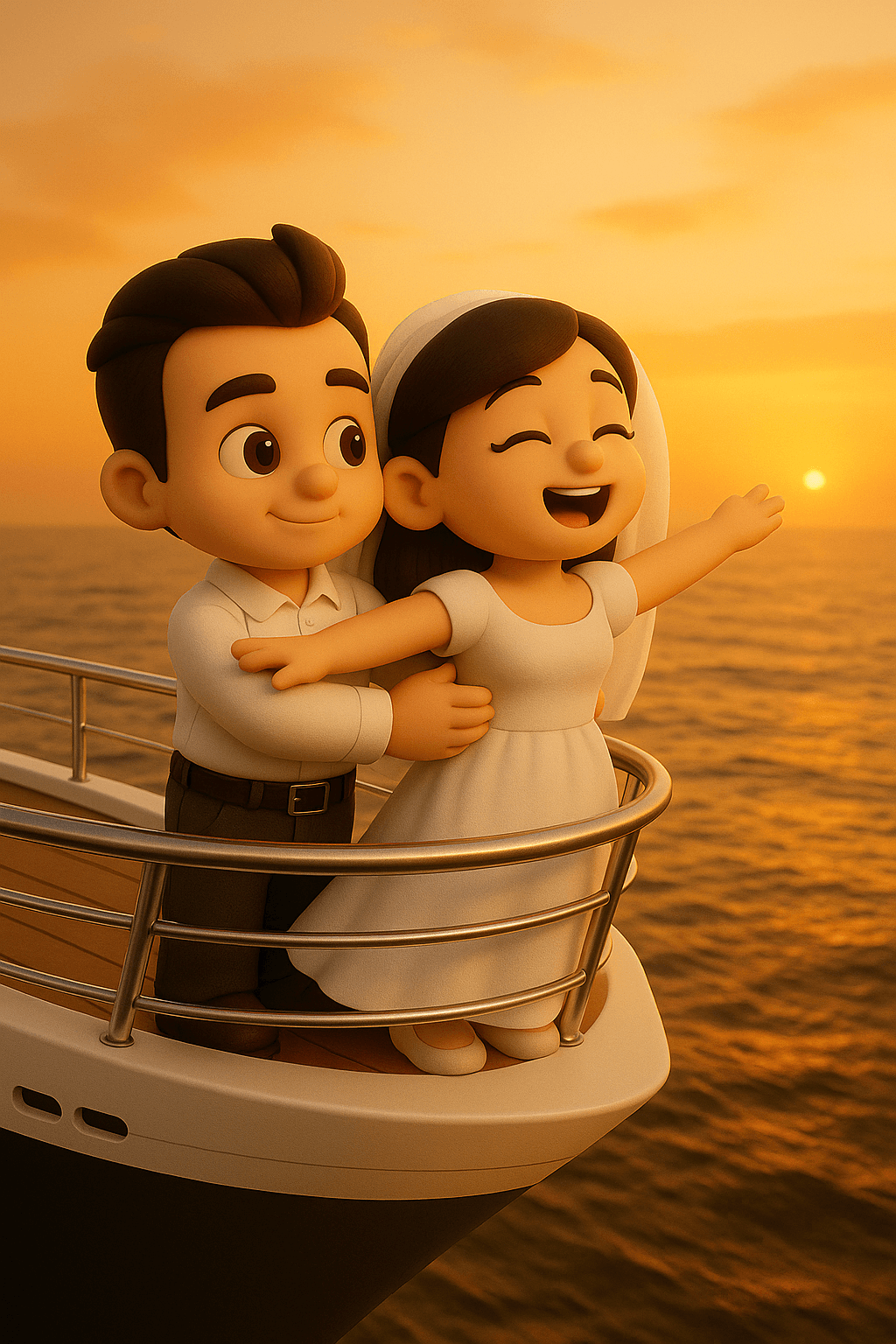
Titanic" Pose Parody
Transform the person in the attached image into a cute chibi-style 3D character. Scene: On the pointed bow of a luxurious cruise ship. The man stands behind the woman at the bow, holding her waist with both hands. The woman is wearing a dress, arms spread wide, facing the wind, with a joyful and liberated expression on her face—just like the iconic scene from Titanic. The sky is painted in warm sunset tones, and the vast ocean stretches beneath the ship. Only the characters should be in chibi 3D style; the rest of the environment should be realistic.

1950s glamorous lady
Gemini Nano Banana 3.0 { "prompt_structure": { "subject": { "archetype": "Glamorous woman", "facial_reference": "Use uploaded image features", "pose": "Three-quarter profile, body angled toward camera, arm lifted elegantly near face", "action": "Holding a cigarette between fingers, holding a small metallic lighter in the other hand", "expression_and_mood": "Sultry, confident, seductive, intimate" }, "styling": { "hair": "Voluminous golden-blonde retro waves, sculpted 1950s pin-up bangs, soft curls framing face", "wardrobe": "Black satin backless dress, ultra-thin side straps, dramatic open silhouette revealing waist and hips", "accessories": "Large stacked silver rhinestone bracelets, small metallic lighter", "texture_notes": "Silky satin texture, sparkling rhinestones, glossy lips" }, "composition": { "setting": "Old Hollywood nightlife, smoky vintage-noir atmosphere", "lighting": "Warm, dramatic, low-key, deep shadows, golden highlights on cheekbones", "framing": "Tight portrait framing" }, "technical_specs": { "resolution": "8k ultra-high-resolution", "visual_style": "Hyper-realistic, cinematic, polished", "camera_effects": "Shallow depth of field, soft film-grain texture" } }, "final_prompt_string": "Hyper-realistic 8k portrait of a glamorous woman with [uploaded facial features], vintage-noir style. She stands in three-quarter profile, sultry and confident, wearing a black satin backless dress with ultra-thin side straps revealing her waist. Hair styled in voluminous golden-blonde 1950s retro waves and pin-up bangs. She holds a cigarette elegantly near her face, wearing stacked silver rhinestone bracelets. Warm, dramatic low-key lighting with deep shadows and golden highlights. Smoky, intimate old Hollywood nightlife atmosphere. Shot on ultra-high-resolution camera, shallow depth of field, soft film-grain texture." }

1964 vs 2018 same room comparison
> a photo of a bedroom, split down the middle, the left side is 2018, the right side is 1964, it's the same room

3 tips for image generation
補足3 画像生成のコツ 「文字数少なめ」で指示すること。 ※nanobananaは文字を詰め込む癖があるため 今回使ったプロンプトと画像↓ Nanobanana-proで5枚作成 アスペクト比16:9 #シーン 広告ポスターを作成 ワイモバイルらしい赤を基調 #内容 新トクするサポート 2年レンタル 支払総額 24円
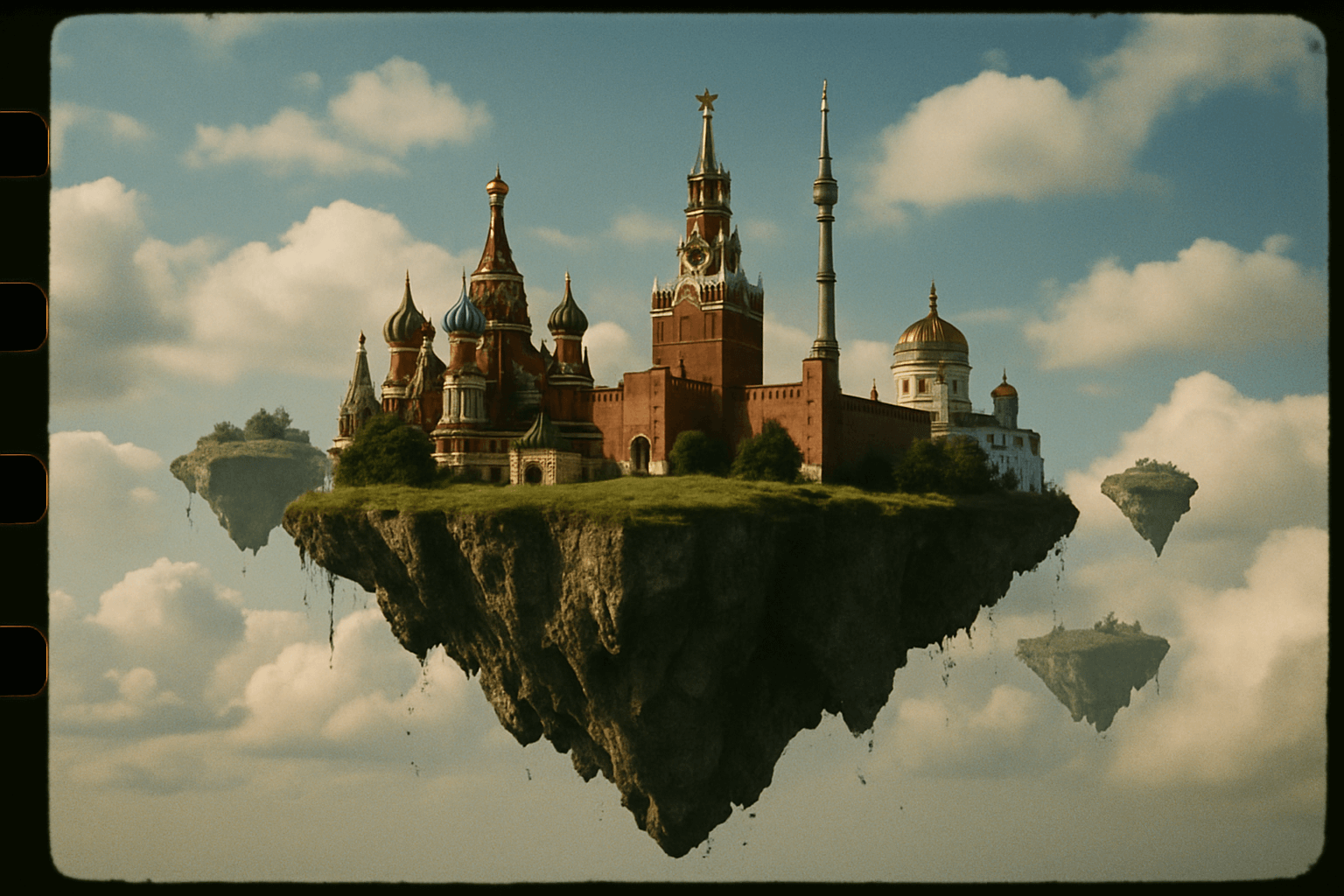
35mm Film Style Flying Island
35 mm photo of Moscow floating in the sky on a flying islands.
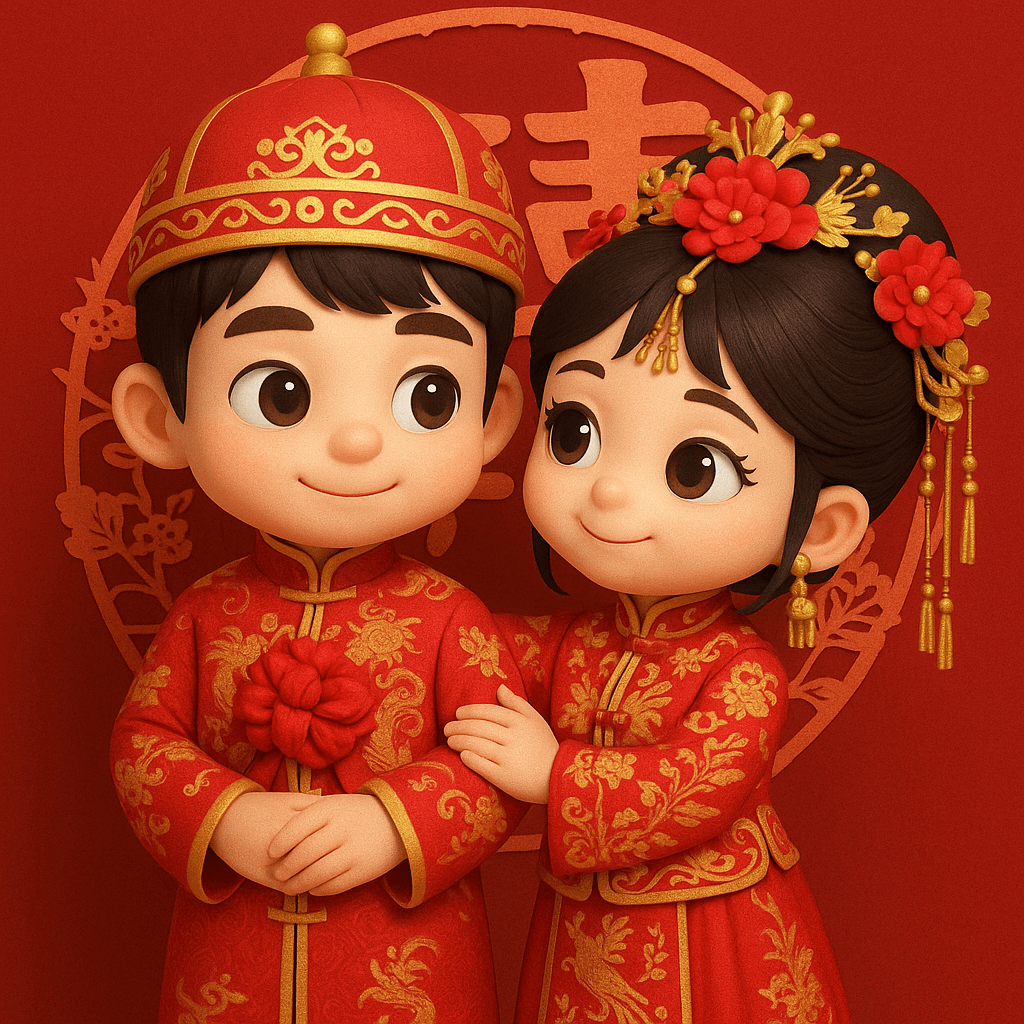
3D Chibi Chinese Wedding Scene
Transform the two people in the photo into chibi-style 3D cartoon characters, dressed in traditional Chinese wedding attire. The overall theme is a festive red Chinese-style wedding. The background features a decorative “囍” (double happiness) paper-cut pattern in a classic folk style. Clothing (realistic texture, traditional details): Male: Wearing a red changpao and magua (traditional robe and jacket) embroidered with golden dragon motifs, symbolizing nobility and grandeur. A large red flower is tied on his chest, representing celebration and good fortune. Female: Dressed in a red xiuhe wedding gown adorned with exquisite golden floral and phoenix embroidery, showcasing elegance and luxury. She wears delicate floral hair ornaments to enhance her gentle and graceful appearance. Headwear: Male: A traditional red zhuangyuan (scholar) hat with golden patterns and a refined golden ornament at the top, exuding classic scholarly dignity. Female: A phoenix crown adorned with a central red flower, gold 3D decorative elements, and hanging tassels—luxurious and full of classical charm. This image should reflect the joy and blessing of a traditional Chinese wedding, with realistic textures for costumes and accessories, combined with stylized 3D chibi characters.
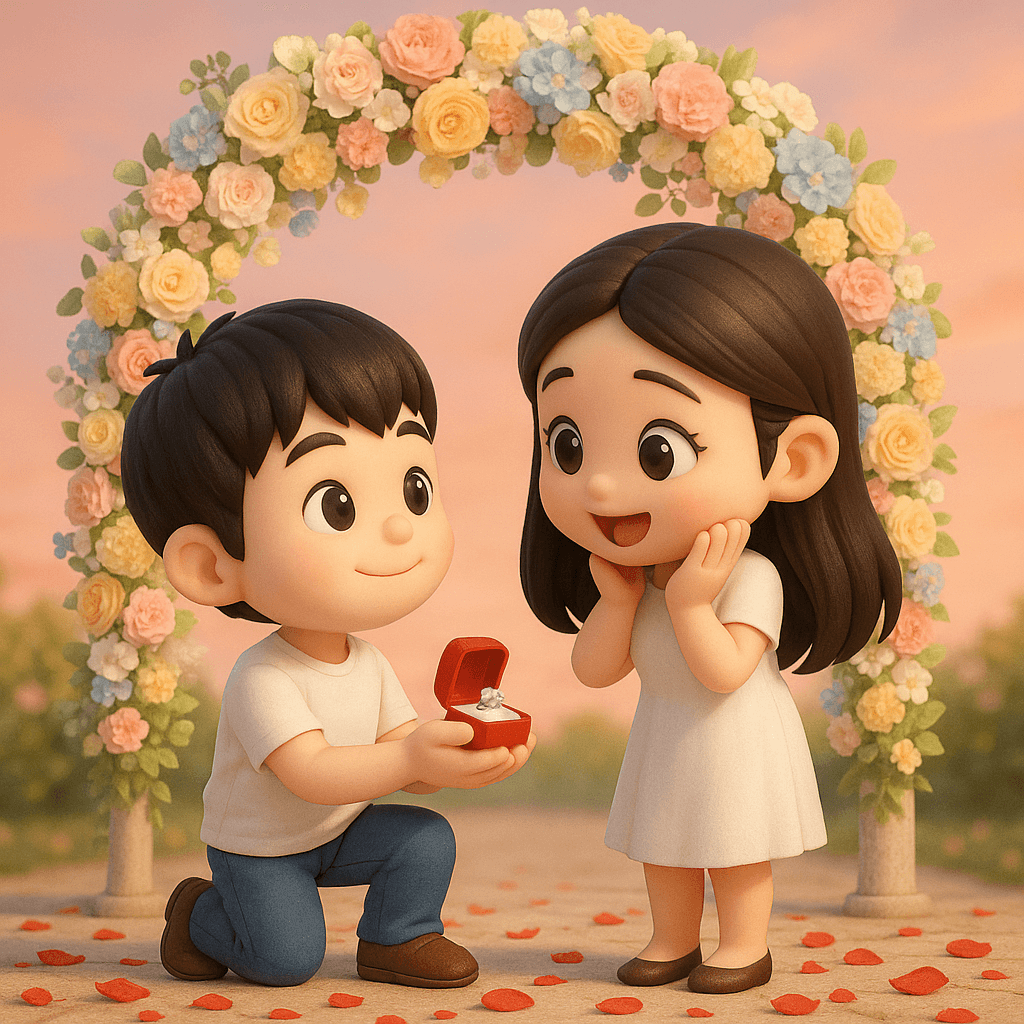
3D Chibi Proposal Scene
Transform the two people in the photo into chibi-style 3D cartoon characters. Change the scene to a proposal setting, with a soft pastel-colored floral arch in the background. Use romantic tones for the overall background. Rose petals are scattered on the ground. While the characters are rendered in cute chibi 3D style, the environment—including the arch, lighting, and textures—should be realistic and photorealistic.
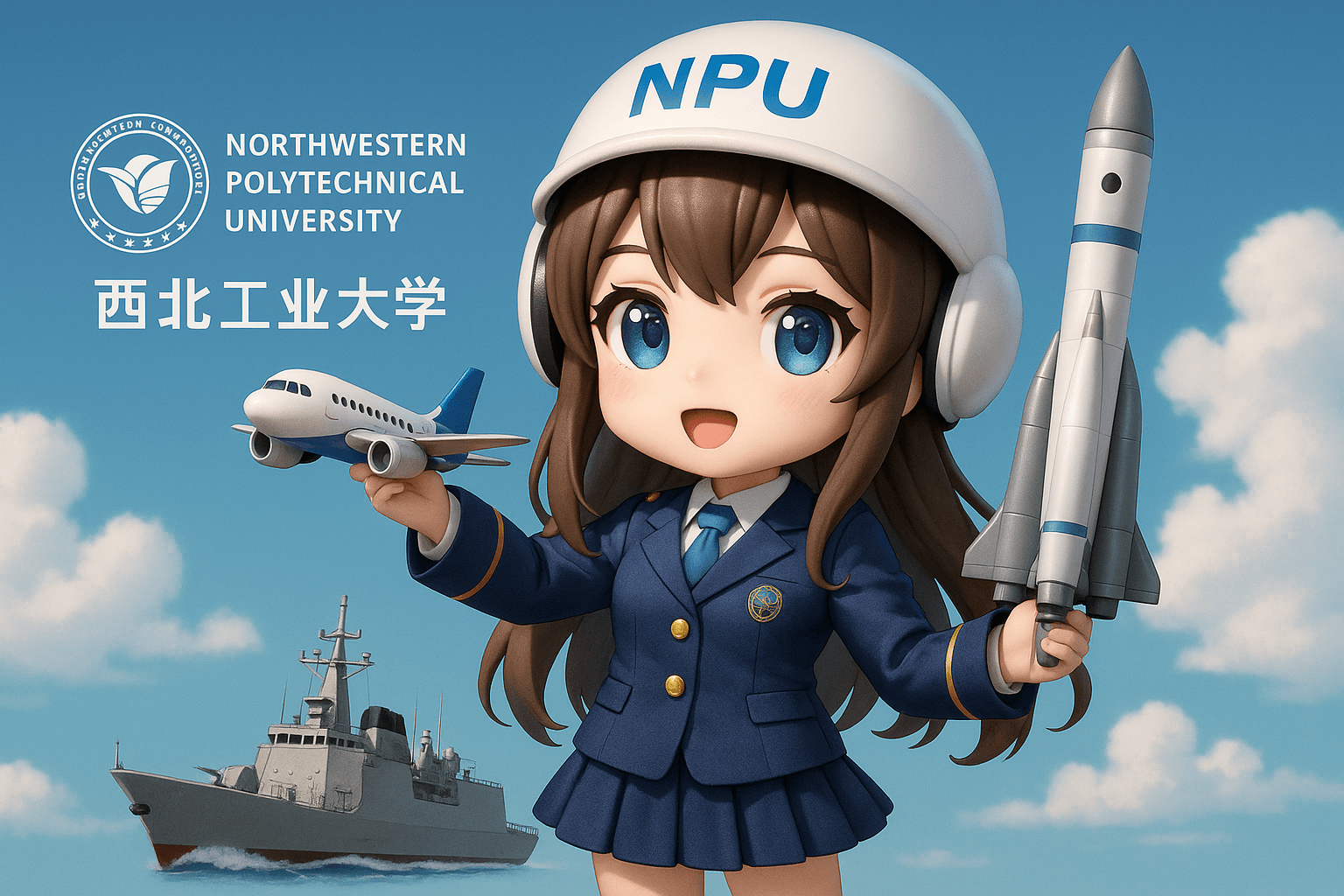
3D Chibi-style University Anthropomorphic Mascot
Create a personified 3D chibi-style anime girl character representing {Northwestern Polytechnical University}, embodying the school’s distinctive strengths in {aeronautics, astronautics, and marine engineering}.
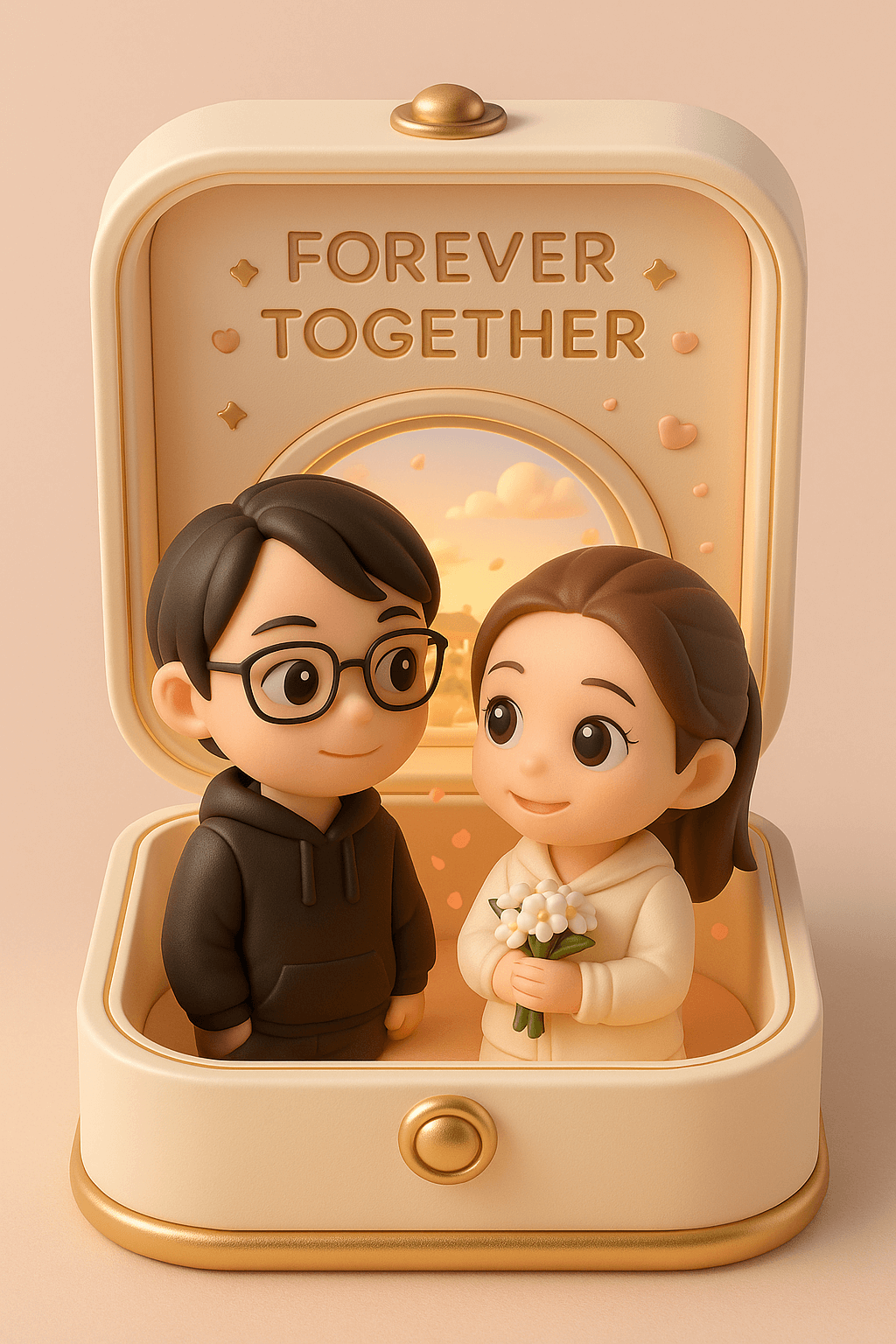
3D Couple Jewelry Box Figurine
Create a finely crafted, adorably charming 3D-rendered collectible figure based on the subjects in the photo, displayed inside a pastel-toned, warm and romantic presentation box. The box is designed in a soft cream color with gentle gold accents, resembling an elegant portable jewelry case. When opened, the box reveals a heartwarming romantic scene: two chibi-style characters gazing sweetly at each other. The lid is engraved with the words “FOREVER TOGETHER,” surrounded by delicate star and heart motifs. Inside the box stands the female from the photo, holding a small bouquet of white flowers. Beside her is her partner, the male from the photo. Both characters have large, expressive, sparkling eyes and soft, warm smiles that radiate affection and charm. Behind them is a round window, through which a sunny skyline of a traditional Chinese town can be seen, along with gently drifting clouds. The interior is softly lit with warm ambient lighting, and petals float in the background to enhance the atmosphere. The overall color scheme of both the display box and the characters is elegant and harmonious, creating a luxurious and dreamlike miniature keepsake. Aspect ratio: 9:16
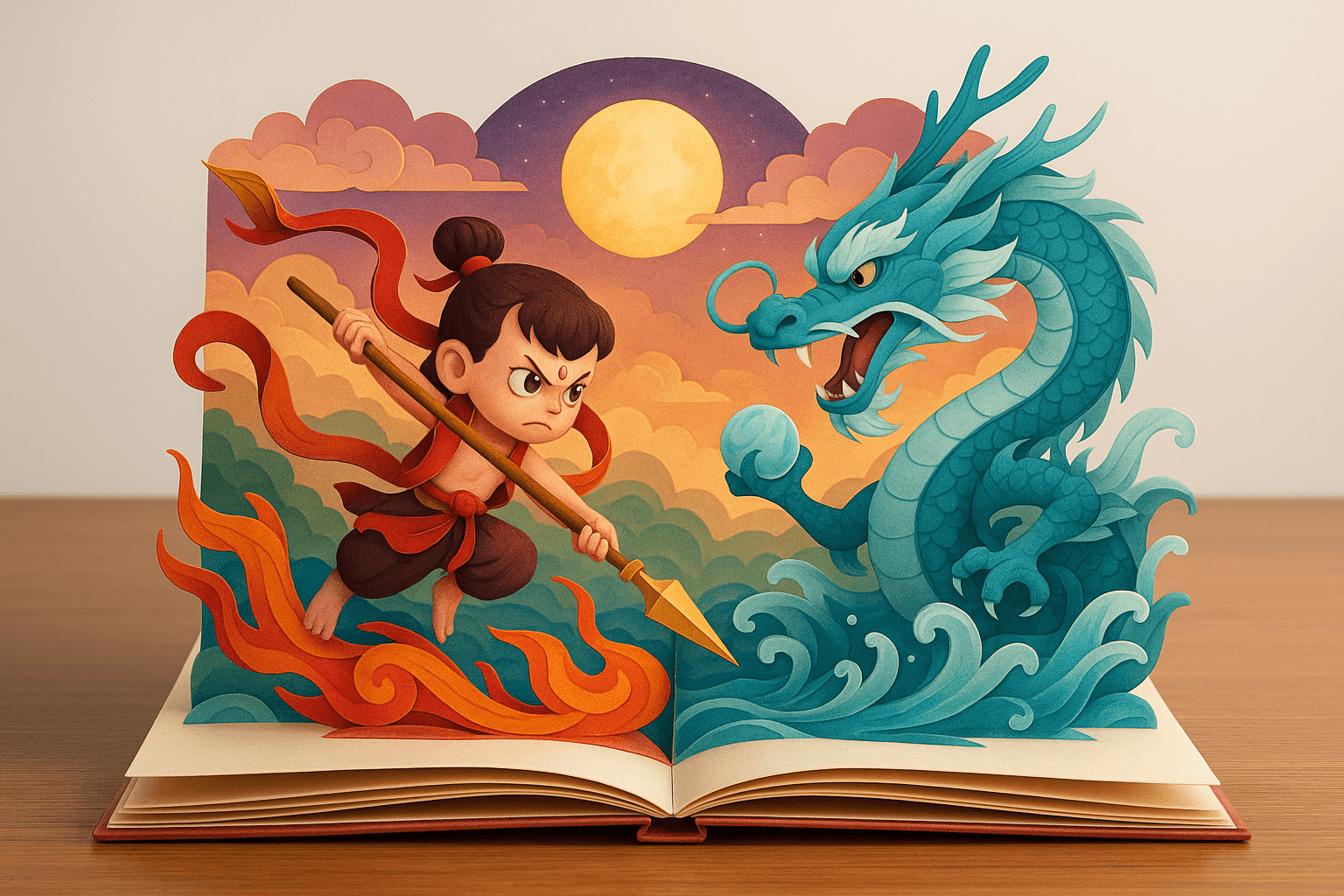
3D Papercraft Pop-up Book
Multi-layered foldable paper sculpture pop-up book, placed on a desk, with a clean background highlighting the main subject. The book presents a 3D flip-book style, with a 2:3 vertical aspect ratio. The open pages display the scene of [Nezha Demon Child version battling Ao Bing]. All elements are finely foldable and assembled, showcasing a realistic and delicate texture of folded paper. The composition uniformly adopts a frontal perspective, with an overall dreamy and beautiful visual style, vibrant and gorgeous colors, full of a fantastical and lively story atmosphere.
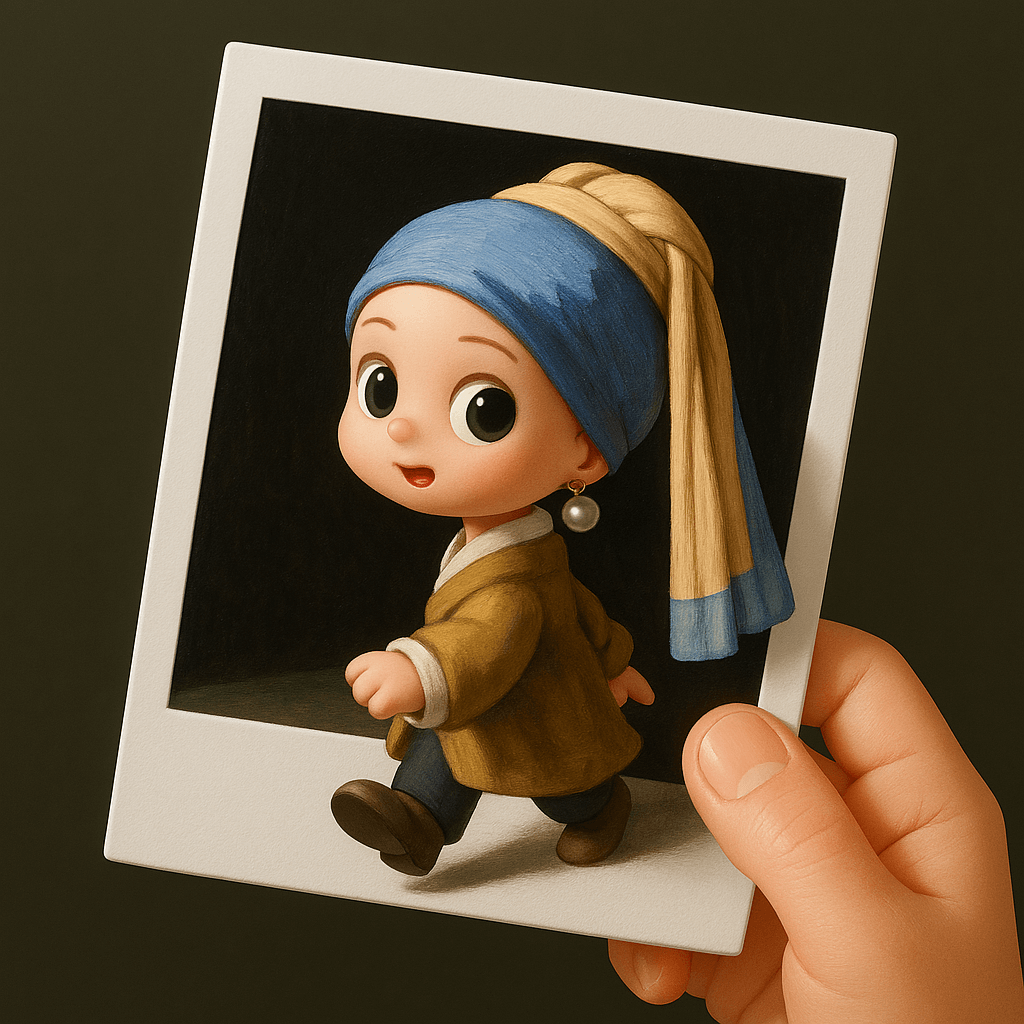
3D Polaroid Breakout Effect
Convert the character in the scene into a 3D chibi-style figure, placed inside a Polaroid photo. The photo paper is being held by a human hand. The character is stepping out of the Polaroid frame, creating a visual effect of breaking through the two-dimensional photo border and entering the real-world 3D space.
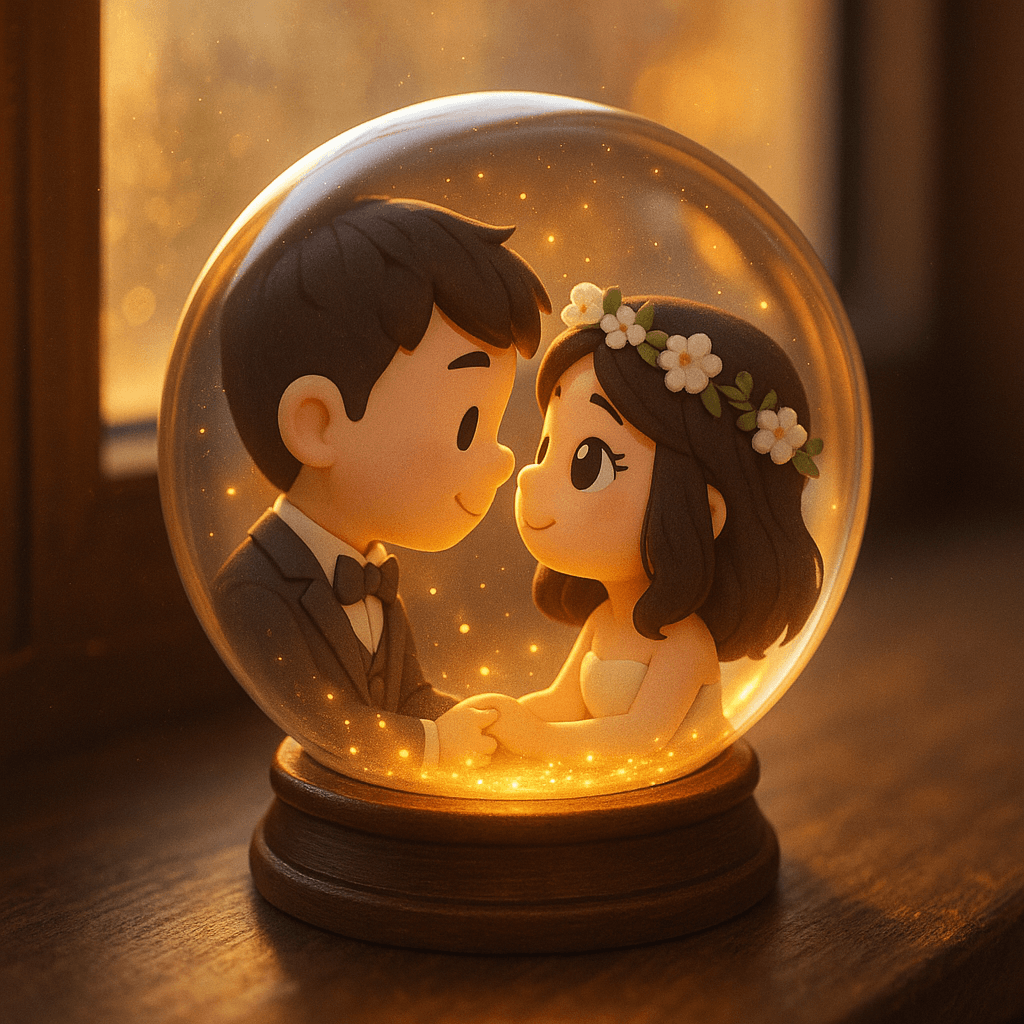
3D Q-version Couple Snow Globe
Transform the person in the attached image into a snow globe scene. Overall environment: The snow globe is placed on a tabletop by the window, with a blurred, warm-toned background. Sunlight passes through the globe, casting golden sparkles that gently illuminate the surrounding darkness. Inside the globe: The characters are in a cute chibi-style 3D design, gazing at each other with eyes full of love.